
Questions about this item?
Leave your email and phone. The Award Maven team follows up with pricing, options, or alternatives.
Prefer email? Reach us at info@awardmaven.com.
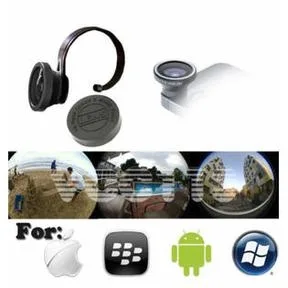
Vivitar® Smartphone Clip-On Fish Eye Lens
$16.44
per unit
- Finish/material:
- Black
Volume pricing available - request a quote for tiered rates.
Price includes: 1 color;1 location. One-time setup: $62.50.
Pricing is available. We’ll confirm decoration and delivery in your quote.
We quote first. No payment until details, decoration, and delivery are confirmed.
Free digital proof. Approve the artwork before production starts.
Pay after approval. We quote first, then collect payment after details are confirmed.
Specialist review. A real person checks the product, options, and artwork path.
Save for later
Add to your shortlist to compare options before submitting a brief.
Product & pricing details
- Minimum order
- 1
- Production time
- 5 to 7 working days or 2 to 5 working days for rush service
- Setup charge
- $62.50
- Price includes
- 1 color;1 location
Product Details
Artwork and proofs, handled
Send the request now. We will help clean up the production details before anything is made.
- Step 1
Send what you have
Vector files are ideal, but a PNG, JPG, PDF, or rough file is enough to start.
- Step 2
We check the art
A specialist flags cleanup needs, imprint limits, and product-fit questions.
- Step 3
Approve the proof
Production waits until you approve the digital proof.
- Step 4
Reorder faster
Approved artwork can be reused for future orders.